> ## Documentation Index
> Fetch the complete documentation index at: https://b5bfb29-opencomputer.manicule.dev/llms.txt
> Use this file to discover all available pages before exploring further.
> For every page in one file, fetch https://b5bfb29-opencomputer.manicule.dev/llms-full.txt (large).
> To search and read these docs as tools, connect the MCP server at https://b5bfb29-opencomputer.manicule.dev/api/mcp.
> Every agent surface: https://b5bfb29-opencomputer.manicule.dev/.well-known/llms-manifest.json
# Quickstart (/getting-started/quickstart)
Related: [What is OpenComputer](/getting-started/introduction.md), [Architecture](/getting-started/architecture.md)
> On the hosted service, sign in, connect a coding agent, Slack and GitHub, then mention `@computer` in a channel
The hosted service runs the gateway and the computer. To run the code yourself, see [Self-hosting](/self-hosting/overview).
 ## Before you start
* A Slack workspace. If you are not an admin, Slack lets you request approval for the app.
* A GitHub account that can install a GitHub App on the repositories the agent will work in.
* A Claude Pro or Max, or ChatGPT Plus or Pro subscription, unless you pay for model usage with OpenComputer credits.
## Set up
Sign in at [app.opencomputer.dev/computer](https://app.opencomputer.dev/computer). The page walks through four steps.
Pick Claude Code or Codex and connect the subscription it runs on, or pick OpenComputer credits.
Click **Add to Slack** and approve the app. The service creates your organization's computer; the page shows its status until it is `Online`.
Install the GitHub App and pick the repositories. The three most recently pushed are cloned on the computer; the others are cloned when a session first checks them out. The agent can push branches and open pull requests in all of them.
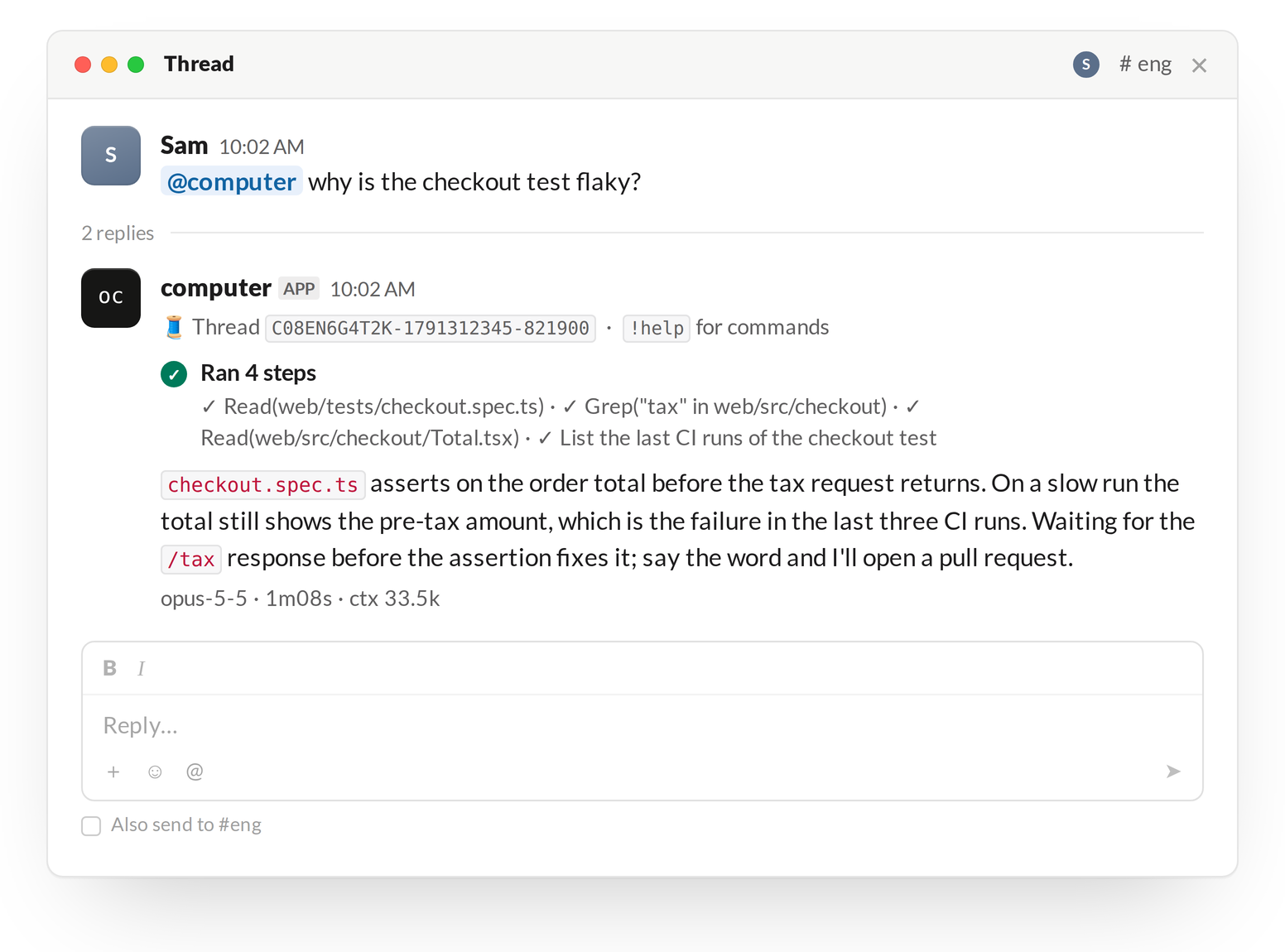
Mention `@computer` in a channel, or send it a direct message. The page shows the mention to copy.
```text
@computer why is the checkout test flaky?
```
You do not have to wait for `Online`: a message sent while the computer starts is picked up once it is on.
The reply streams into the thread under your message. That thread is now a session: reply in it to continue, without a mention.
## Teammates
Anyone in the Slack workspace can mention `@computer`. A session belongs to the person who started its thread.
## Next
* [Threads](/slack/threads): what a session shows and how it ends.
* [Branches and pull requests](/slack/branches-and-pull-requests): how work leaves the computer.
* [Self-hosting](/self-hosting/overview): run the gateway and the computer yourself.